
Platform : Windows
Resolution : 1080×1920
Options :
1 screen and 2 screens
Sweepstakes draw
Gameplay options
Register options
Web leaderboard
Screen Options
Shortcut : Numpad – (only during the screensaver screen)
hen the application is launched, the two videos you will place into the drive will play automatically.
BotScreen : 1st screen by default
TopScreen : 2nd screen is button “2 Screens” checkbox is checked
“2Screens” checkbox is displaying on the second screen, a leaderboard and videos entertain people following the game.
Add 2 new videos
Go to the google drive folder link provided
Upload your 2 files into this folder
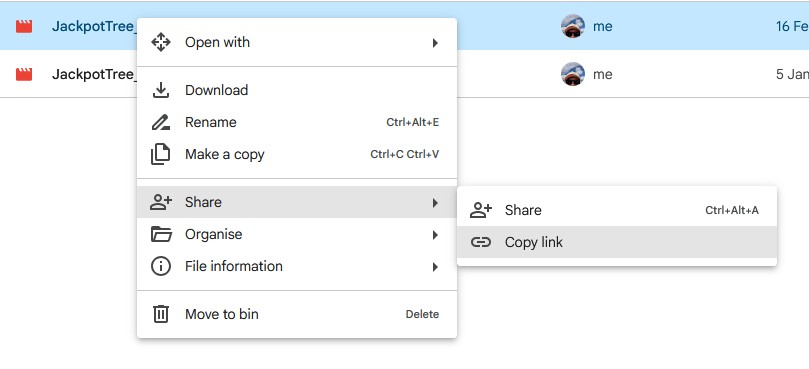
Copy the link of the video with right click option
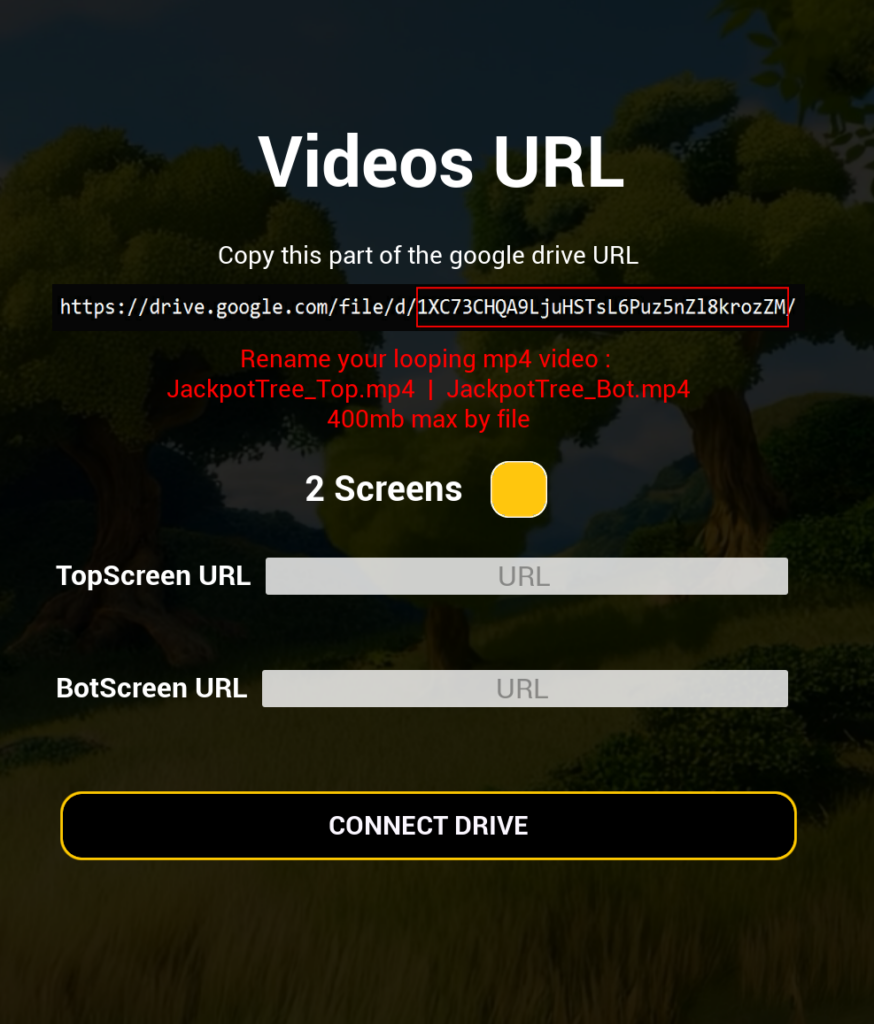
And take the last part of the link
Example :
https://drive.google.com/file/d/1XC73CHQA9LjuHSTsL6Puz5nZl8krozZM/view?usp=drive_link
The file URL to past into the URL textfield is:
1XC73CHQA9LjuHSTsL6Puz5nZl8krozZM
Videos formats mandatory
MP4 files needed
400mb maximum
File names need to match with following names :
JackpotTree_Top.mp4
JackpotTree_Bot.mp4
Before uploading videos, please read the terms of services and privacy policy :
GDG Games – Term of services | GDHGames – Privacy policy
Admin Options
Shortcut : Numpad + (only during the screensaver screen)